
Market structure, internal & swing
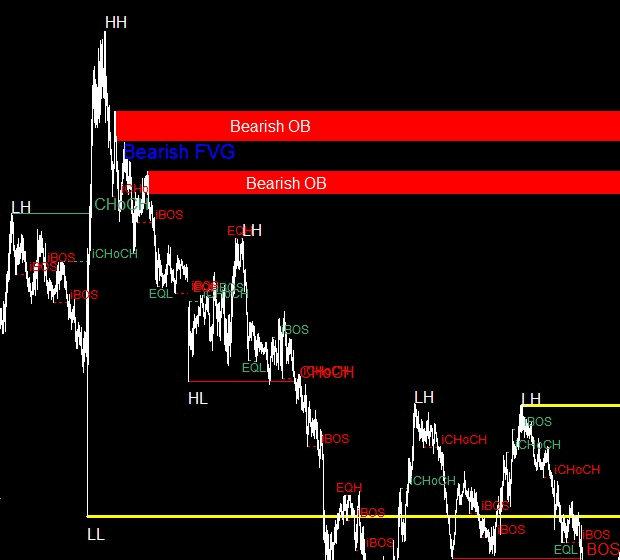
Swing structure is drawn with solid lines for the broader trend, internal structure with dashed lines for faster moves — so you can read both at a glance.
Ai SMC reads price action in real time and draws the structure you would otherwise mark by hand — break of structure, change of character, order blocks, fair value gaps and liquidity levels. No templates, no manual labelling.
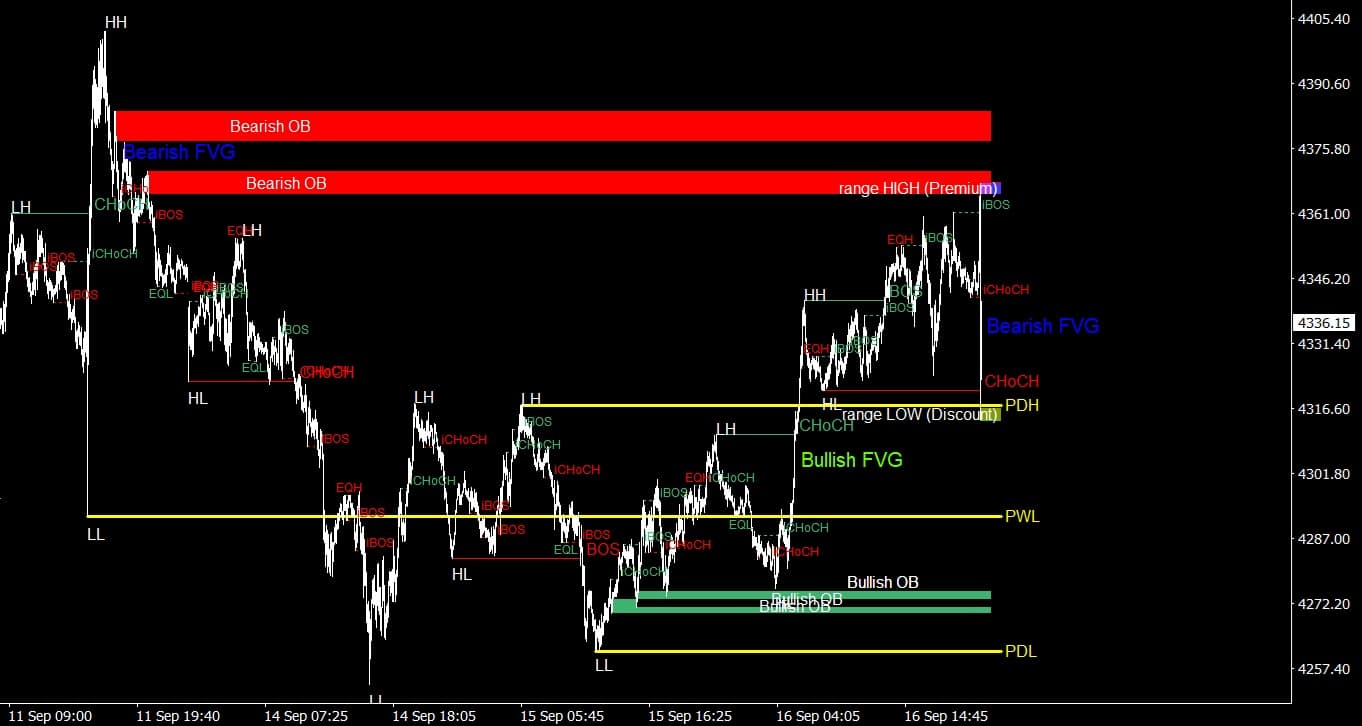
Ai SMC watches structure and liquidity on every candle and keeps the chart current as the market moves.
Swing structure is drawn with solid lines for the broader trend, internal structure with dashed lines for faster moves — so you can read both at a glance.
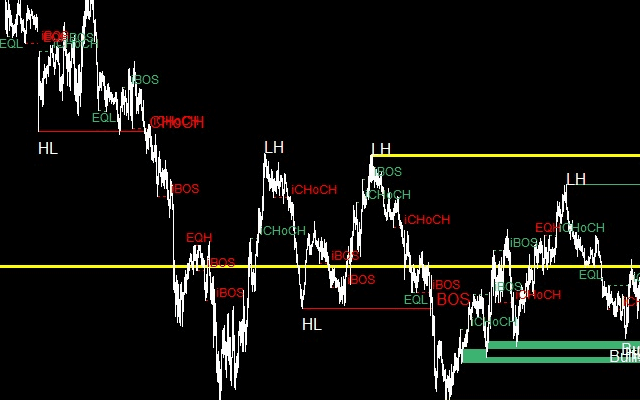
Break of Structure marks continuation in the direction of trend. Change of Character marks a break against it — often the first hint of a reversal.
Zones tied to significant buying or selling activity, updated automatically as price interacts with them. Useful as entry areas, confirmation or liquidity targets.
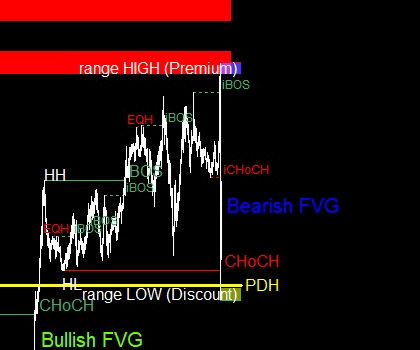
EQH and EQL levels highlight matched highs and lows where liquidity tends to build — with a configurable bar count for confirmation.
Imbalances detected with an automatic threshold to filter out noise. Choose the detection timeframe and extend gaps forward across the chart.
Previous highs and lows from higher timeframes drawn directly on your working chart, so you always know where the bigger levels sit.
Instantly see whether price is trading in the upper or lower portion of the selected range before you commit to a position.
Strips out less significant internal structure breaks so the chart stays readable and only the meaningful shifts remain visible.
The indicator organises price action the way Smart Money Concepts traders already think — direction first, then context, then entries and liquidity. Every image below is the indicator running on a live chart.
 Direction
A Break of Structure means price has pushed through a prior structure point in the direction of the trend — a continuation signal. A Change of Character breaks structure against the trend, which is often the earliest sign that momentum is shifting.
 Context
Internal structure (dashed) tracks the smaller, faster swings while swing structure (solid) tracks the larger move. Seeing both at once tells you whether a pullback is routine or the start of something bigger.
 Entries
Once direction is established, order blocks give you defined zones to work from. Traders commonly wait for price to return into a block, then look for confirmation before committing — with opposing blocks or prior highs and lows as targets.
 Liquidity
Equal highs and lows mark where stops tend to cluster. Premium and discount zones tell you whether you are buying high or low within the range — context that changes how a setup should be treated.
A note on expectations. No indicator can predict institutional behaviour. Ai SMC organises what is visible on the chart — structure and liquidity — and is intended to support your analysis, not to replace risk management or trade confirmation.
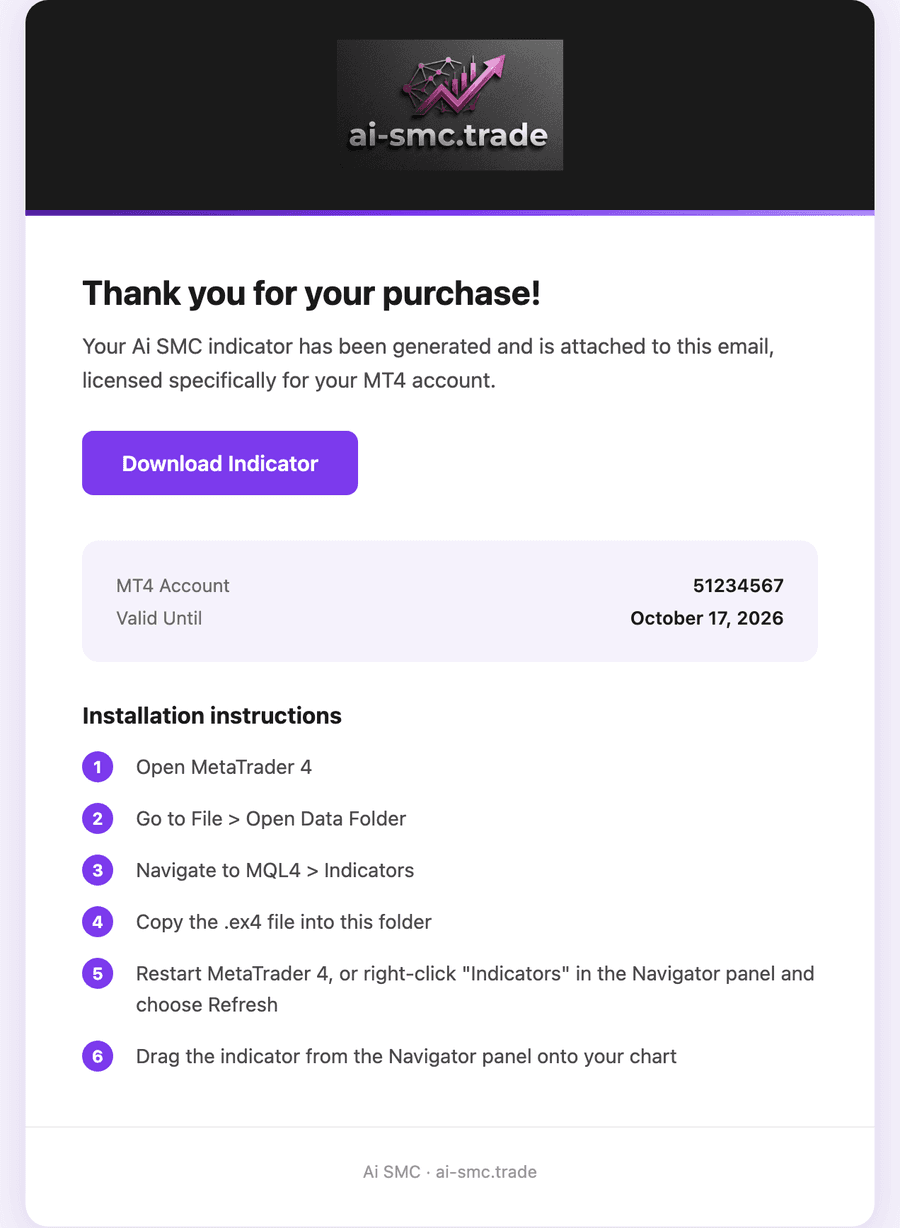
Every licence is compiled on demand for your account and delivered automatically — there is nothing to wait for and no manual approval step.
Your licence is generated for that specific account number, so it only runs where you intend it to.
The moment payment clears, your personal .ex4 file is built, attached to an email and added to your dashboard — usually within seconds.
Copy the file into MQL4 › Indicators, refresh the Navigator panel and drag it onto any chart. Full instructions come with the email.

Works with any MetaTrader 4 terminal, from any broker.
Every plan unlocks the complete indicator — the same features, the same updates. The only difference is billing.
Try the full indicator on your own charts before you pay anything.
Continuous access with a fresh licence issued every month.
A single month of access. No subscription, no automatic renewal.
Prices in USD. Payments are processed securely by Paddle, our merchant of record. Have a discount code? You can enter it at checkout.
Still unsure about something? Email contact@ai-smc.trade and we will get back to you.
Order blocks are a common starting point. Most traders first establish direction using BOS and CHoCH, then wait for price to return into an order block before looking for confirmation. Opposing order blocks and previous highs and lows are frequently used as targets.
No — and no indicator can. Ai SMC organises the structure and liquidity that is already visible on the chart according to the Smart Money Concepts approach. It is a tool to support your analysis, and should be used alongside your own risk management and trade confirmation, not in place of them.
Any symbol and any timeframe available in your MetaTrader 4 terminal — forex, indices, metals, crypto CFDs and more. Fair value gap detection can also be pointed at a different timeframe than the one you are viewing.
Yes. Each licence is compiled for the specific MT4 account number you enter at checkout and will not initialise on a different account. You enter that number during checkout, not at signup, so you can decide right before you buy.
A fresh licence is generated automatically on each successful payment, emailed to you and updated in your dashboard. You simply replace the previous file — there is nothing to request and no waiting.
Unless you cancel first, your card is charged $10 and you immediately receive the full one-month version of the indicator. Cancel at any point during the trial and you are never charged.
Yes. Cancelling takes one click in your dashboard and stops any future billing. You keep full access for the period you have already paid for.
Refunds are handled case by case — the details are set out in our refund policy. If something is not working, contact us first and we will try to fix it.
Three days, the complete indicator, on your MetaTrader 4 terminal. Cancel any time before the trial ends and you pay nothing.
Card required to start the trial · Cancel in one click